Lookout Below
From a voice memo to a finished music video. Every stage of Sorry for Interrupting’s Lookout Below, and how each one was accomplished.
01 The song
One stem, one mic: an iPhone 16 Pro. This voice memo at the top is the take that became the final song. Press play.
This is the actual voice memo that ended up on the released record.
02 The shoot
Evelyn painted the song’s cover alla prima, start to finish in a single sitting. Every frame of the video comes from that one afternoon.
03 The cut
The actual Premiere Pro project. Click the Program monitor to play, or drag anywhere across the sequence to scrub through the timeline.
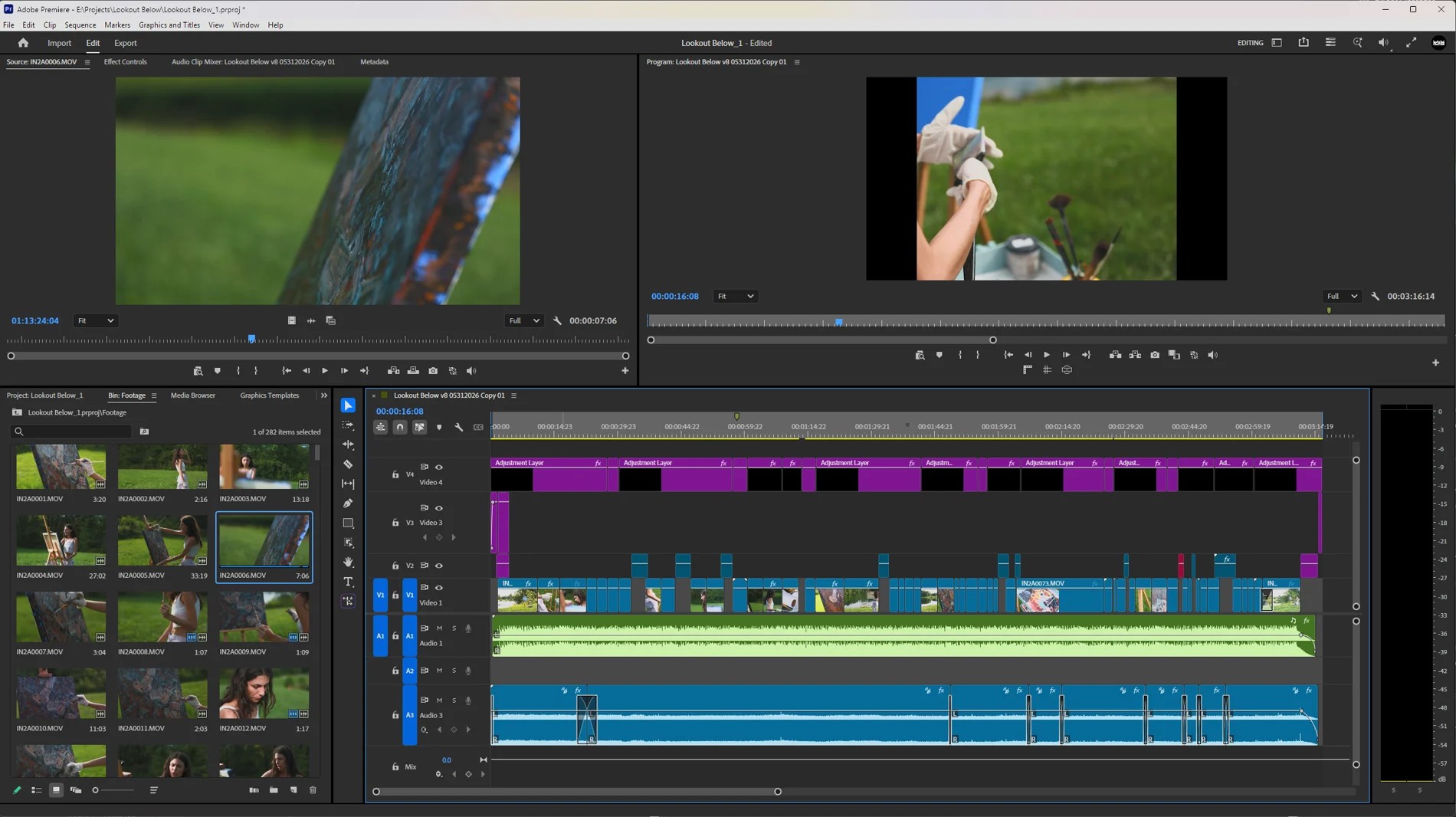
Time runs left to right, and every row is a layer sitting over the one below it.
The blue band through the middle is the cut: separate takes trimmed and connected with each other, most of them holding the screen for a second or two, chosen out of the 282 shots from the project panel in the bin on the bottom left.
The purple row along the top is where the adjustment layers live. An adjustment layer holds no picture of its own, only instructions, and whatever you put on it lands on everything underneath for exactly as long as the layer runs. That is why they are cut into segments rather than left as one piece: different stretches of the film get treated differently without ever touching the clips themselves. The stray purple clips in the rows below are miscellaneous assets, graphics and titles and black video, which Premiere happens to give the same colour.
The green track is the song. Everything above it was placed against it. The blue tracks beneath it are a bed of nature sounds I captured on the day of the shoot, mixed low to immerse you inside the Cuyahoga Valley National Park.
This stage took the most time by far. There is no before and after to hold up. It is decisions, one edge at a time, about exactly which frame to leave on.
04 The grade
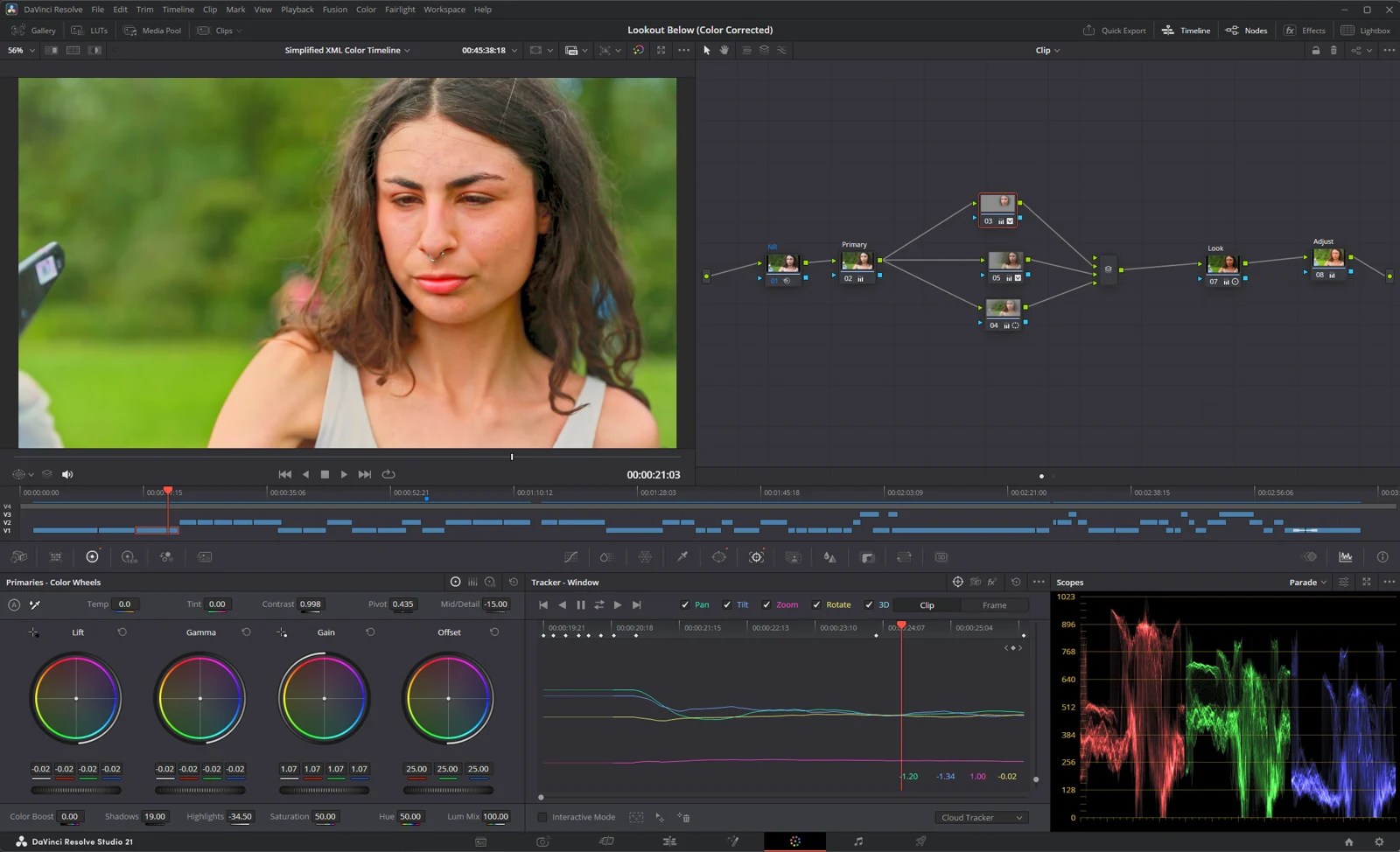
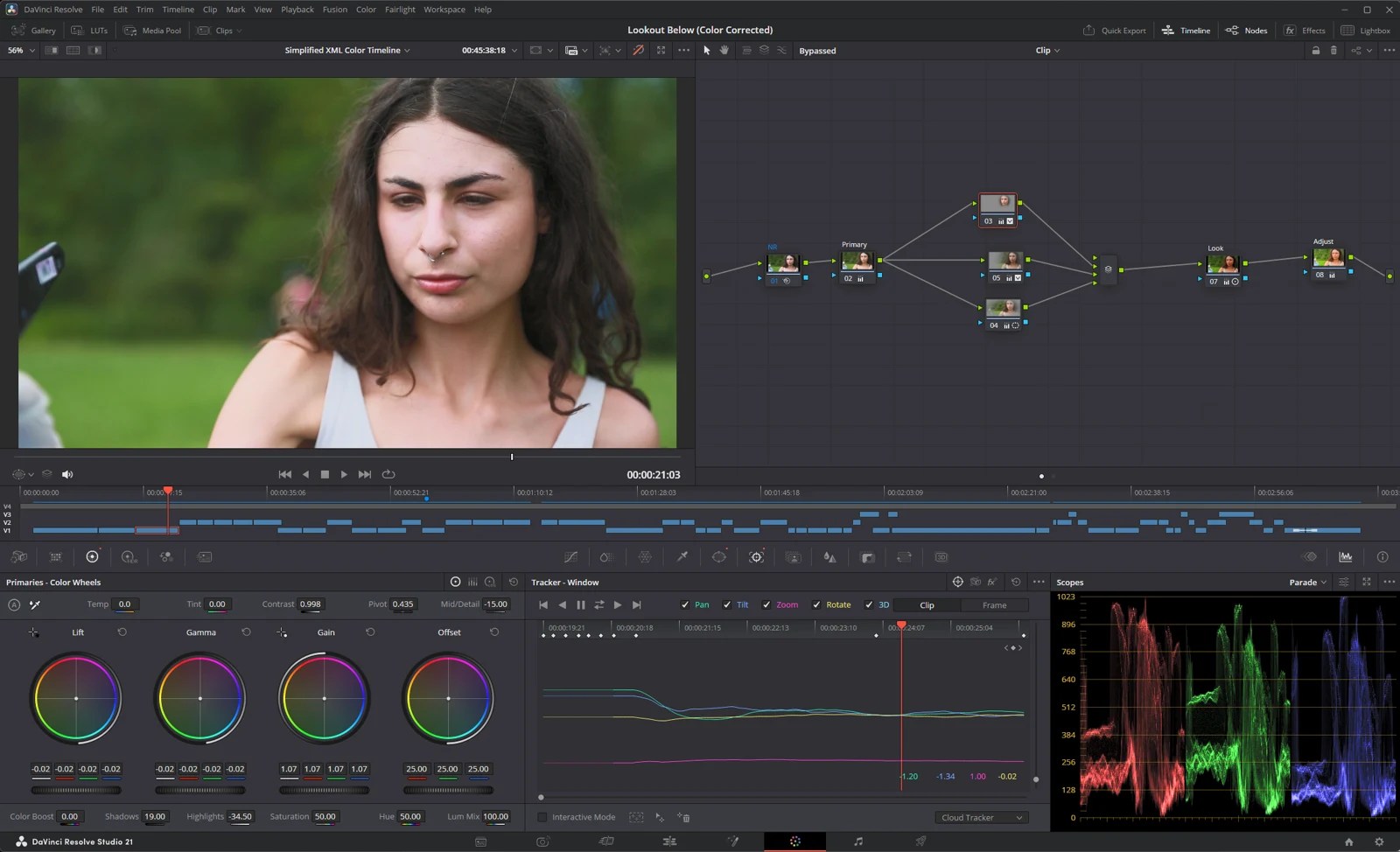
Color is half the film. Drag right to bring the grade in.
05 The deliverables


Screening September 26 and 27, 2026.